
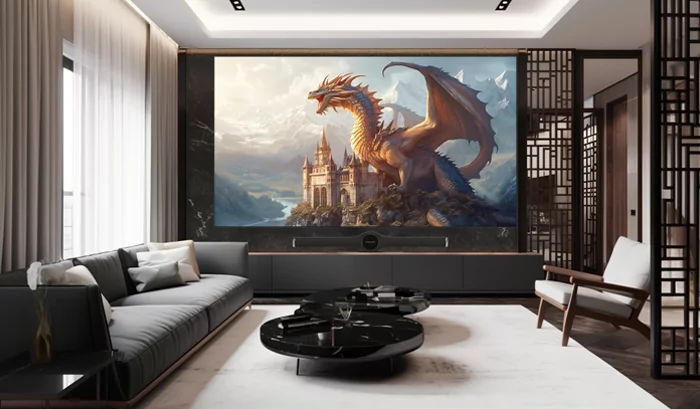
Cinema quality depends on more than the display itself. Room proportions, seating position, acoustics, lighting, and cable planning all influence how comfortably viewers experience movies. For households considering an LED display screen, Ledman’s display solutions are used across indoor applications such as business conferences, education, shows, and other visual environments, making LED technology adaptable to different room requirements.
Plan The Screen Position First
Screen placement should be established before furniture or decorative elements are finalized. The wall needs enough usable width and height, while the viewing position should provide a comfortable relationship between image size and seating distance.
A larger room can accommodate greater display dimensions, but maximum size should not become the sole objective. Excessive image width may force viewers to move their eyes constantly, particularly during subtitles or fast-moving scenes.
The selected home cinema screen should also sit at an appropriate height. The center of the image is generally more comfortable when viewers do not need to tilt their heads significantly upward during extended sessions.
Arrange Seating Around Viewing Angles
Seating layout determines how consistently different viewers experience the picture. A centrally aligned primary row usually provides the most balanced viewing position, while additional seats should be positioned according to horizontal and vertical viewing requirements.
Deep rooms may benefit from multiple rows, but spacing between seats should leave enough room for movement without pushing the rear row too far from the display. Reclining seats also change eye height, so their final position should be considered during planning.
Side seating deserves particular attention. Excessive horizontal angles can affect perceived image uniformity and viewing comfort, especially in larger installations. The LED display screen should therefore be sized and positioned according to the entire seating zone rather than one preferred chair.
Control Ambient Light
Lighting can dramatically change perceived contrast and color. Direct sunlight, reflective flooring, glossy furniture, and uncovered windows may introduce unwanted reflections or reduce the apparent depth of darker scenes.
Blackout curtains provide one practical solution for rooms with exterior windows. Wall finishes can also be selected to reduce reflected light, while dimmable fixtures allow brightness to be adjusted according to the content being viewed.
The display’s brightness should match the room rather than remain unnecessarily high. Movie sessions in a controlled environment generally call for different settings from daytime sports viewing or gaming.
Build An Acoustic Environment
Sound quality deserves the same planning attention as image quality. Bare walls, hard flooring, and large glass surfaces can create reflections that make dialogue less distinct and increase reverberation.
Acoustic panels, carpets, curtains, and appropriately positioned furniture can help control unwanted reflections. Bass management may require additional treatment because low-frequency energy behaves differently from mid and high frequencies.
Speaker placement should be coordinated with seating and screen dimensions. Front speakers positioned around the display need enough space to create a convincing soundstage without interfering with the visual installation.
Plan Cable Routing Early
Cable management becomes difficult when routes are added after walls and furniture are finished. Power, video signals, network connections, control cables, and audio lines should be mapped before installation begins.
Signal paths should remain accessible for future servicing. Excessively long cable runs can introduce unnecessary complexity, while poorly organized wiring can make troubleshooting more time-consuming.
Equipment racks should also receive adequate ventilation and convenient access. Centralizing processors and other hardware can simplify maintenance, provided cable routes remain clearly organized and appropriately separated.
Select Technology For Multiple Uses
A dedicated cinema room does not always serve only one purpose. Some spaces host movie nights, gaming sessions, sports broadcasts, presentations, or live event playback. The display system should therefore match the range of content expected during its operating life.
Ledman notes that its LED display products support applications ranging from business conferences and education displays to outdoor advertising and event environments. This broad application range illustrates how LED technology can be configured for different visual requirements rather than being limited to one type of venue.
Resolution, pixel pitch, refresh performance, connectivity, and service access should be reviewed together. Choosing specifications based solely on headline numbers can create an imbalance between actual viewing needs and system cost.
Conclusion
A successful cinema room emerges from coordinated decisions rather than one oversized display. Screen dimensions should fit the seating geometry, lighting needs to remain controlled, acoustic treatment should support clear sound, and cable routes should be planned before construction reaches its final stages. Once these elements work together, the home cinema screen becomes part of a coherent viewing environment instead of an isolated piece of equipment. For households evaluating LED-based installations, Ledman provides an example of how display technology can serve varied indoor applications while the final room design remains tailored to its specific space and viewing habits.